3D Printing Shows its Strengths

Desktop Metal’s Jonah Myerberg on how 3D printing helps companies respond quickly during a crisis.

Additive manufacturing companies have been active during the worldwide pandemic and shutdown, helping health care providers and other companies address supply chain shortages. Digital Engineering spoke to Jonah Myerberg, co-founder and CTO at Desktop Metal, about the company’s activities and experiences during the COVID-19 shutdown.

DE: Desktop Metal has been involved in rapidly developing and producing a new COVID-19 nasal test swab. Can you tell me about that project?.

Jonah Myerberg: Although swabs are not made of metal, this was an initiative we identified right away where we could help. This wasn’t something we could print out metal or even print in-house, but it was a problem that could be solved with 3D printing.

We set out to figure out how 3D printing could help, and how we could make that real. This really shows the ability that 3D printing has to help respond quickly, flexibly and in mass quantities to these types of production problems. 

To make a swab, what we’ve learned is it’s not easy to tool up if you are set up to make 100,000 swabs a day. If you want to make a million a day, it will take a while. That’s not the case with 3D printing. You can flip a switch and ramp up to making a million swabs very quickly. 

In their current design, swabs are not 3D printable. They are a complex assembly of nylon fibers and small features and bristles that are on this flexible stick that you use once and throw away. At first glance you say, this can’t be 3D printed, but if you look at the function, it can. And this is what we face every day in 3D printing; we look at the problem the part is solving, then design for 3D printing. That is what we did here. Went back to the drawing board. These swabs need to collect samples from the back of the nasal cavity. They don’t have to be these materials. If we were to 3D print them, how do we collect samples? We made lattice structures at the end that would grab samples and deliver them to the test kits.

You can now distribute this new design around the entire country to every 3D printer available and start massively manufacturing them via distributed manufacturing.

DE: In the past, 3D printing has often been described as a solution looking for a problem. The current supply chain challenges in the health care space seem like a problem that was custom-made for 3D printing.

Myerberg: It’s really just one of many perfect scenarios for 3D printing. That’s the Catch-22 of 3D printing. If you develop a tool that is applicable to so many different things, it is viewed as not being applicable to anything.

DE: How do you think this experience will change the way companies view 3D printing’s role in the supply chain?

Myerberg: The companies that were most affected by this outage or interruption will be the first to start to think about how to reduce that risk in the future. That’s what these large companies do. That’s what these supply chain organizations within companies are tasked with. If they mis-predicted these interruptions, then they will be looking at this on their list of potential things that can reduce risk.

In large-scale manufacturing, they refuse to have a single source for any item because of the risk. If you have the best battery in the world that is different than any other, you are going to have a hard time selling that into an automotive company, for example, because you don’t have a competitor with an equivalent battery. Single-sourcing is too much of a risk. If you can create the ability to manufacture that component in-house as well as source it from outside, then you lower risk for them.

DE: You also helped enable a local hospital in Boston to convert some snorkel masks into PPE, correct?

Myerberg: Snorkel mask conversion was a national phenomenon. Doctors were looking around for PPE [personal protective equipment] that could be converted, and some doctors say that in Italy there were providers who converted snorkels into masks for use in the office. They wanted to know if they could do that also. They had filters they could use with the oxygen generators in their offices. If they could combine them with the masks they could have useful, reusable PPE.

They reached out to me, and the next day I had a prototype. We were able to print these converters they could attach to the filters and to the masks. Based on measurements we did for the masks and from talking to the doctors, we were able to put together an adapter that would allow the snorkel mask to become a filter, and to feed oxygen into masks to allow doctors to wear them for long periods of time. It’s just another example of how quickly you can respond if you have the right tools.

DE: What has the remote work transition been like internally for Desktop Metal?

Myerberg: What a tornado that was! Yes. With the tools that we use today in our office, you can work remotely at the drop of a hat. Everyone was able to go home, quarantine themselves and still tap into the resources they need to get their jobs done.

We have a skeleton crew in-house to support essential workers. We were able to set up an array of cameras so we can remotely watch what is going on. It’s amazing what you can accomplish. This isn’t unique to Desktop Metal. The world is going to be changed when we emerge from this. There will be more remote work than there was before.

DE: How are you handling remote customer support?

Myerberg: Our customer service team has many levels of support. On-site visits are not possible right now. We have to do remote support exclusively over the phone or over video conference. So far it’s been well received.

DE: What lessons do you think you’ll take out of this experience?

Myerberg: The question every company needs to ask is, how do they help themselves, help employees and customers, as well how do they help society in situations like this? How do you stay essential? How do you stay flexible? Do you have the tools in-house to change and adapt to the unknown?

Look at all of the work that is going on across the country on ventilator projects. It’s so amazing to me that hospitals had to put out requests that they were running out of ventilators, and all of a sudden there were 50 ventilator projects born. How does that happen? From people working in their garage to big companies like Tesla, they are coming up with designs, but everyone is utilizing 3D printing. That is how you move fast.

We have a number of sister companies who have stopped what they were doing and are now designing ventilators. It’s as if they could do anything in their building. It’s been an amazing response.

How do you remain digital when you are producing a physical product? 3D printing allows you to stay as close to the digital environment as possible. You can bridge from digital to physical quickly, without an investment in tooling. 

A lot of amazing things have happened so far, and there are still a lot of really cool things that will be exposed in the future. I think a lot of those will have to do with vaccine deployment. That’s another great example of a long-lead item that 3D printing can potentially help accelerate. 

This isn’t over. There will be a new normal out there.

 
Read More

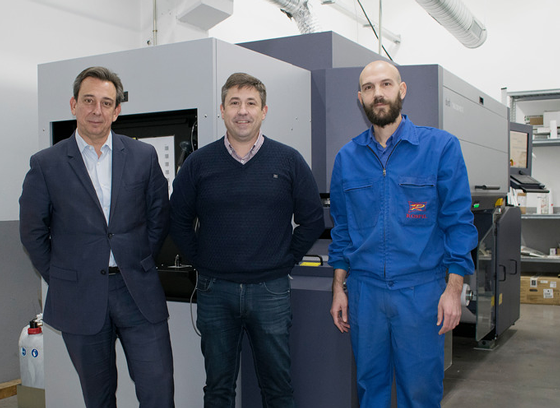
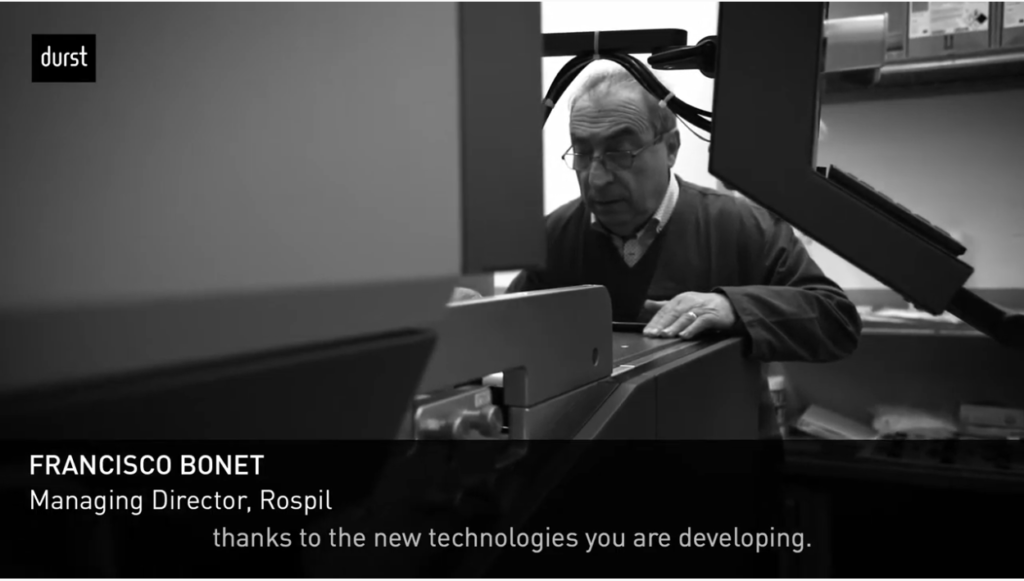
Nivell Publiciatari, Durst first P5 350 installation in Spain

Nivell Publiciatari, our first P5 350 installation in Spain, reveals its future challenges, as well as the history of the company in this short film.

Many thanks @Nivell Publicitari for the great cooperation and trust in our brand. Filming was done before COVID-19 impacted our lives.

Read More

What Louis Vuitton and Sony Pictures could possibly have in common

As you can see in the video above, large format 3D campaign displays and props are playing a vital role in creating a buzz for mainstream brands such as Sony Pictures, Burger King, and Louis Vuitton. Using eye-catching, 3D printed applications produced with the Massivit 3D printer, many brands are captivating their audiences.

With over 100 visual communication applications, large format 3D printing is spurring return business for print shops. Brands love the alluring touch and feel of 3D displays and their ability to draw in consumers to interact with them.

With breakthrough technology from Massivit 3D, print shops are enjoying a boon in interest and increased sales.

Ready to discuss your business goals and how we can help?

Read More

Unique competitive advantage for Megalabel with Durst Tau RSC E press

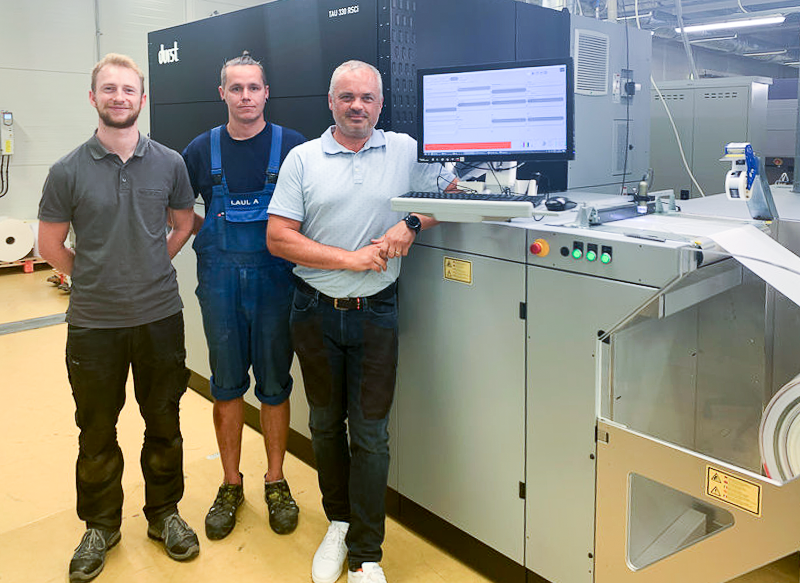
Brixen, Italy – 14.05.2020 – An investment in a Durst Tau 330 RSC E single-pass digital inkjet label press is a strategic move by Megalabel benefiting from a direct service structure, parts and support in Brazil provided by Durst, manufacturer of advanced digital printing and production technology.

Owner Marcio Romano says cost-effective, industrial scale production at very high quality and speed will fill the gap between flexo and short-run digital production. “We closed a deal in practically three days,” said Mr. Romano. “Knowing that we can count on a service structure, parts and support here in Brazil is an important differential. It gives us the confidence to bet on a technology that will certainly bring us a unique competitive advantage.”

The arrival of Durst technology at Sao Paulo-based Megalabel has a strategic role. Now, the company will be able to produce in high quality and at an extremely affordable cost for longer runs of labels using digital technology. “Durst Tau 330 RSC E puts us in a different position in the market, as we are reference in terms of production technology,” said Mr. Romano. “In our premises, we have the three options available today for printing: flexography, digital printing for short runs, and Durst digital printing at an industrial level of very high quality.”

Among the highlights of the Tau 330 RSC E, Mr. Romano reinforces high print resolution and speed. In addition, for him, the agility in service and the security of reaching negotiations was only possible thanks to the presence of Durst’s structure directly in the country.


When Megalabel was founded 12 years ago, Mr. Romano, had a very clear focus in mind: offer very high quality to produce labels in short runs for the market. Today, the company has a consolidated name in the segment, producing short and large production runs. “For this, we invested in flexographic technology and also in digital printing”, explains Mr. Romano. However, the other digital technology in use at Megalabel was “high cost” when larger volumes on an industrial scale were needed. “It was to cover this gap between flexography and digital printing in short runs that we invested in the technology of the Durst Tau 330 RSC E,” said Mr. Romano.

With support for widths up to 330 mm, the Tau 330 RSC E prints at 52 linear meters and with the optional speed upgrade up to 80 linear meters/min. This corresponds to a production capacity of 1,485 square meters/hour at a print resolution of 1200×1200 dpi. It can produce in up to 8 colors (CMYK, plus White, Violet, Orange and Green), thus covering almost 95% of Pantone colors at a lower cost.

Helmuth Munter, Label & Flexible Packaging Segment Manager for Durst Group, said: “The Durst Tau RSC E brings affordable, industrial scale digital production to increasing numbers of forward-thinking companies such as Megalabel. The fact that we have dedicated teams in Brazil offering direct service, parts and support locally is clearly going to be an increasingly important factor in decision-making going forward as we continue to build our business in South America and further afield.”

Read More

Fiber™ Continuous Fiber 3D Printing: Technology and Applications

Enter Additive Manufacturing

Extract from Desktop Metal’s ebook

To bring down those costs, manufacturers in recent years have turned to additive technology – with mixed results.
By far the most successful approach to 3D printing composite parts is a process known as Automated Fiber Placement (AFP), which relies on a robotic arm or gantry to lay resin-impregnated carbon fiber strands (typically referred to as tows) on molds or mandrels to build parts layer by layer.
The systems are most often used to form large parts, like airplane wings, wind turbine blades and – most famously – the fuselage of the Boeing 787 Dreamliner.
Though faster than hand layup, AFP systems are also extremely expensive – often costing several million dollars – and require specialized facilities to operate effectively.

Other systems have taken different approaches to 3D printing composites.
One has been to print parts using only chopped fiber, but the parts they produce tend to have poor mechanical properties, and the cost of the systems – $100,000 or more – can be hard to justify.
Lower cost continuous fiber printers, meanwhile, face similar problems, including poor part performance due to low fiber volume, high porosity and a lack of materials variety.
The end result is that 3D printing today accounts for just a tiny fraction – less than one tenth of one percent – of the entire composite manufacturing market.

Read More

Taking Control of Aligners with 3D Printing

Mark McInnis, DMD, shares the lessons he’s learned while building a digital practice incorporating the latest 3D printing technology and aligner planning software

By Alison Werner | Photography by Carl Ackerman

Implementing an intraoral scanner into the orthodontic practice opens up a world of possibilities. For South Carolina-based orthodontist Mark McInnis, DMD, it led to the purchase of a 3D printer and manufacturing aligners in-office. But more than anything, it put his practice at the forefront of the digital evolution of orthodontics. 

Three years ago, when McInnis set out to incorporate 3D printing into his Clemson, SC practice, Upstate Orthodontics, he knew he wanted to ease into it and avoid stressing his staff and disrupting their workflow. So, he opted for a relatively inexpensive, entry level consumer-grade printer that they all could learn on. They started, like most practices, with making retainers, even though that was not McInnis’ ultimate goal.

Over the course of a year, that first printer taught him some valuable lessons. While it made good fitting retainers and aligners, it had its fair share of issues. First, it was slow and unpredictable. Second, it lacked a good customer support system. When McInnis was ready to ramp up his in-office aligner offerings, he had two options: invest in his own print farm with multiple lower-cost printers or invest in a commercial-grade printer. 

McInnis opted for the commercial-grade printer and purchased an EnvisionTEC Vida printer from 365 Printing at the American Association of Orthodontists (AAO) Annual Session in Washington, DC in 2018. As McInnis puts it, the DLP printer was a solid workhorse, but it was the customer service that came with it that swayed him. 365 Printing offers both in-office training and ongoing customer support. That peace of mind is key, says McInnis. “I don’t have to try and figure it out on my own. That safety net is huge.” 

The Software Component

While at the same meeting in DC, McInnis also finagled his way into the pilot study group for uLab System’s aligner treatment planning software. McInnis made a point of demoing all the software options at that show and what attracted him to the uLab software was its simplicity and the automation. “It’s like using a Mac or iPhone versus a PC,” he shares. “It’s very intuitive.” At that point, the software already featured a number of automated processes, including tooth selection and alignment.

Since then, the automation within the uLab software has expanded to the 3D printing workflow. STL files are automatically labeled, trimmed, and exported to the printer. Exported files are then automatically arranged in the print tray. The software is compatible with the leading printers and thermoformers, and with the uContour feature can be automatically trimmed. The software also allows for same-day treatment starts and combination treatment, and includes advanced AI technology that will learn and apply the user’s preferences over time. uLab also provides the resources need to brand aligners.

McInnis has watched the software change over the last 2 years and welcomes the new tools uLab Systems has rolled out, including the retouch feature which allows the orthodontist to rescan a patient mid-treatment and not create a whole new treatment plan. Instead, the software marries the new image with the original scan to determine that patient’s current status, and then calculates where the final plan needs to go based off the original set up. “The retouch feature just allows you to save all that time on having to rebuild your case. Even when you pay an outside lab to do that, you generally end up having to tweak it…and often have to bounce back and forth with the technician. When you do them yourself, you can just sit down and knock it out completely just once,” he says. 

As a member of the pilot study group, McInnis has witnessed the software’s evolution and has been impressed with the speed with which the developers have taken on feedback and adapted the platform. “They’re very open to feedback from their users and then adapting those good ideas into their platform, which is so refreshing,” says McInnis, who was also a beta user of Dolphin’s practice management software. 

Time to Upgrade Printers

A year ago, McInnis decided it was time to upgrade his printer. With the uLab software, efficiency and productivity had increased. The volume of models his in-office lab was producing necessitated a faster printer. He opted for 365 Printing’s newest model—the EnvisionOne. He’d first seen the printer in action at a study club meeting. Using CDLM technology, the commercial-grade desktop printer’s speed and consistency impressed McInnis. With the EnvisionOne, McInnis’ practice is able to print 18 to 20 models vertically in a little over an hour. Why print vertically? As McInnis puts it, this orientation allows the user to print hollow, reducing resin waste and saving money. Moreover, it allows for self-draining and easier removal of the model. Another more important advantage: Users can print more models per print job. As the company puts it, vertical printing allows for a better workflow. Batching for larger print jobs can reduce computer time and post-processing time by 80%. McInnis was also drawn to the EnvisionOne’s reported accuracy when printing vertically, as this is often compromised with this orientation. According to 365 Printing, preliminary testing shows that printing vertically on the EnvisionOne is less than 1% quality difference than printing horizontally. After almost a year of use, McInnis has not had any issues with aligner fit. 

Eventually, McInnis decided to buy a second EnvisionTEC One printer to ensure redundancy. “I believe redundancy is something that we need in our practices. It is a piece of equipment. It can go down. If it does go down, you need a backup. Even though I have enough customer support, I really felt the need to have two identical printers.” And the fact that he has chosen two identical printers is key. “I see a lot of practices in the Facebook groups talking about all the different printers they have. Having had different printers, the problem you run into is they use different software. When you go and build a print job on one printer, the next printer may be open, but you can’t send it to that one to print because you have to wait for the printer you built it for to open up to be able to print.” 

When it comes down to specs, speed, accuracy, and cost-effectiveness are the key metrics by which to judge a printer. While it would be great to find all three in one printer, the reality, says McInnis, is that you’re only likely to get two out of three. “You typically make a sacrifice. If you get a cheap printer, it’s not going to be fast and accurate. There’s going to be a compromise and you’re going to have to make a choice which is more important to you.” 

With regard to lab space, like most orthodontic practices, McInnis did not build the lab at his main location 5 years ago with 3D technology in mind. While his ventilation system was already equipped to handle the 3D printing operation, he did reconfigure a couple of outlets and invest in a battery pack surge protector to protect the printers and the prints jobs if the power cuts off and on. And he did pull out cabinetry when he brought in the taller EnvisionOne unit and has remodeled his lab here and there to get the right configuration for the most efficient workflow.

Taking Control of Aligners

McInnis, a graduate of the Medical University of South Carolina, who completed his orthodontic residency at the University of Missouri, Kansas City in 1998, was part of that first wave of orthodontists working with Invisalign when it launched. Initially, cases weren’t as successful as he would have liked. The combination of PVS impressions, materials, and inadequate attachments kept McInnis turning to fixed appliances. But about 5 years ago, his opinion changed as he saw how other orthodontists were pushing the modality’s limits beyond what he considered possible. What’s more, he saw a treatment modality that could help eliminate the decalcification and other hygiene issues that come with fixed appliances. From there, he dug into the biomechanics and realized he could get the results he craved with aligners. 

Aligners, and a digital orthodontic workflow overall, allow McInnis to significantly reduce the number of follow-up appointments necessary. This translates into higher revenue for the practice even though the material cost of treating a fixed appliance patient is lower. 

“Braces themselves are cheaper than say aligners, but you end up seeing the patient almost twice as much. [With aligners,] you can treat a patient with a more expensive lab bill and still come out ahead because you’re going to see them fewer times in your office,” he points out. 

Today, the practice is evenly split between aligner and fixed appliance cases when it comes to new starts. 

McInnis started offering in-office aligners over a year ago, giving patients a more affordable option and reducing his lab costs. Most labs have a fixed fee, regardless of the number of aligners printed, and they often require the full lab fee upfront. As patient down payments are typically lower than the lab fee, it’s often months before the practice breaks even and sees any profit—a concept McInnis never loved. 

“With in-office aligners, my initial cost is solely related to the aligners that I fabricate. My costs for producing those aligners are spread out over a longer period of time,” says McInnis, who offers patients the choice between braces and aligners, and then between in-office aligners or Invisalign. The patient chooses, but McInnis is able to offer a lower down payment with in-office aligners because of the pricing structure as it relates to the lab bill. McInnis opts to print smaller aligner orders in house, leaving the larger orders to outside labs. 

Now in terms of costs, McInnis is quick to dispel the idea that the cost of the 3D printer should be the barrier to printing in-office aligners. Often, he hears colleagues cite the $8,000-$15,000 cost of a printer as the reason they can’t possibly get into in-office aligners, while at the same time they didn’t bat an eye at a $150,000 x-ray machine or a $30,000 intraoral scanner. “You obviously make choices based on a number of factors, but don’t look at the cost as the big deterrence because where there are more expensive things that you use in your practice on a daily basis. This particular one will allow you to generate a different revenue stream,” he points out. For McInnis, labor is the largest expense, not his 3D printer. Currently, he has two-full time lab techs. 

For those who do decide to make the plunge, McInnis cautions against the budget printers. Yes, the upfront costs and resin costs may be less, but there’s a trade off in terms of accuracy, reliability, and staff time. “Having consistency of workflow and dependability of a commercial machine was the direction that I went,” says McInnis, who next plans to expand into printing indirect bonding trays. “Ultimately, I was trying to have something that would cut down on staff time because labor amounts to one-third the cost of the aligner,” while the printer cost averages about 50 cents per aligner in his practice. His in-office lab fabricates on average 110 aligners per day. 

According to McInnis, the maximum number of aligners the practice produces and delivers to a patient at any one time is 12 upper and 12 lower aligners. And there’s a reason for that. 

“When you use Invisalign, they send you all of your aligners for the whole case upfront. We typically will deliver all those to the patients, so we don’t have them in the office. But there’s quite a few patients that will have a tracking error. You may try to just get through the aligners that you have before you rescan them, but as tracking errors happen…fit issues become more of an issue, and then your level of control goes out the window,” he explains. 

“Well, if you have an Invisalign case, you may just keep pushing through those aligners or you may set up a refinement scan. On occasion, you may have to throw out a good number of aligners. If you’re making them in house, you don’t have to make all of them upfront. I typically will make 12 and see the patient back in 10 weeks to evaluate the fit of the aligners. If they fit properly, we’ll go ahead and print the rest of them, and the patient can just pick them up at the front desk. But if we do have a fit issue, where we’re starting to get a tracking error, then instead of going ahead and making the rest of the aligners and having a poor return on investment or not getting as high a percentage out of the movement that we programed in, we will reschedule them back in 2 weeks for a refinement scan and redo the case. At that point in time, they’ll have proper fitting aligners and we don’t end up having to throw away aligners because we made them all upfront. We are able to mitigate that because we can turn them around so much faster.” 

The case control and revenue potential of an in-office 3D printing operation is evident, but that’s not to say that there aren’t hurdles that can’t be ignored, says McInnis, but they are surmountable. Whether it be mastering a new software and learning how to set up and stage your own cases or learning digital production and how to scale that up, the payoff is there for the taking. It just requires flexibility and an openness to learning a new workflow that will carry the practice forward. OP

Read More

Durst is back in business – Phase II

Durst was able to resume partial operations at the beginning of April, as the printing systems for the label and packaging industry were classified as systemically important. Now the Italian government has launched phase 2 to resume public life.

As an export-oriented company, Durst – starting immediately and in compliance with all necessary safety regulations – can start up production. On May 4 at the latest, the majority of the Durst’ler can be reached again at the headquarters in Brixen and the Customer Experience Center is then available again for customer appointments, machine demonstrations and acceptance tests.

Of course, Durst does not expect an immediate return to “normality”, which is why concepts for virtual presentations and webcasts have been developed in the past few weeks and are now being implemented in a timely manner for interaction with the stakeholders.

Durst will provide information on the respective offers and measures on the website www.durst-group.com and on social channels. Of course, international customers can also contact the global Durst branches for individual inquiries and priorities.

We will support these meetings as best we can with the technical possibilities in the Durst headquarters and Customer Experience Center. We are really looking forward to phase 2 and the opportunity to take the next step into normality with new interaction options.

Welcome back!

Read More

XJet from Home: Xjet sensational video series about ceramic printing

A serie of videos about 3D ceramic printing. Each video will take you to one of five senses …

XJet sensational seriespart 1 of 5 – The Vision

XJet sensational seriespart 2 of 5 – Touch

Xjet sensational series part 3 of 5 – Smell


Xjet sensational series part 4 of 5 – Hearing

Xjet sensational series part 5 of 5 –

Taste

Read More

Manufacturing the Cars of Tomorrow, Desktop Metal’s new ebook

Additive In Today’s Automotive Industry

In fact, many of the earliest adopters of additive manufacturing for automotive applications weren’t car makers themselves, but the race teams they sponsor.

For decades, companies from Ford to Ferrari have used racing as an incubator for testing new technology. Many of the features that are now standard on new cars – regenerative braking systems found in hybrid vehicles, push button ignitions and even rear-view mirrors – can trace their roots to the track.

The same goes for 3D printing – especially in metal.

Formula 1 teams, World Endurance Challenge teams, Formula E teams and more have experienced first-hand how the benefits of additive manufacturing – quick iteration on designs, rapid prototyping and lightweighting of parts – can translate to improved performance on the track.

And though 3D printing has been successful on the track, its often-prohibitive cost has kept it there.

While their focus on winning makes it easy for race teams to justify the high cost of complex printed parts, it’s not until companies can cost-effectively print them that 3D printed parts will become a widespread part of automotive mass production.

In other cases, 3D printing allows engineers to create one-of-akind vehicles destined for the racetrack.

With the ability to make parts faster, cheaper and more complex than ever before – this is how the cars of tomorrow will be manufactured.

In this ebook, we’ll explore how additive manufacturing is going to transform the way cars are made.

This includes commentary from thought leaders such as Ford’s CTO, Ken Washington, Customer case studies of ways 3D printing is being used today, and a variety of part examples where 3D printing is already impacting how automobiles are made.

Read More